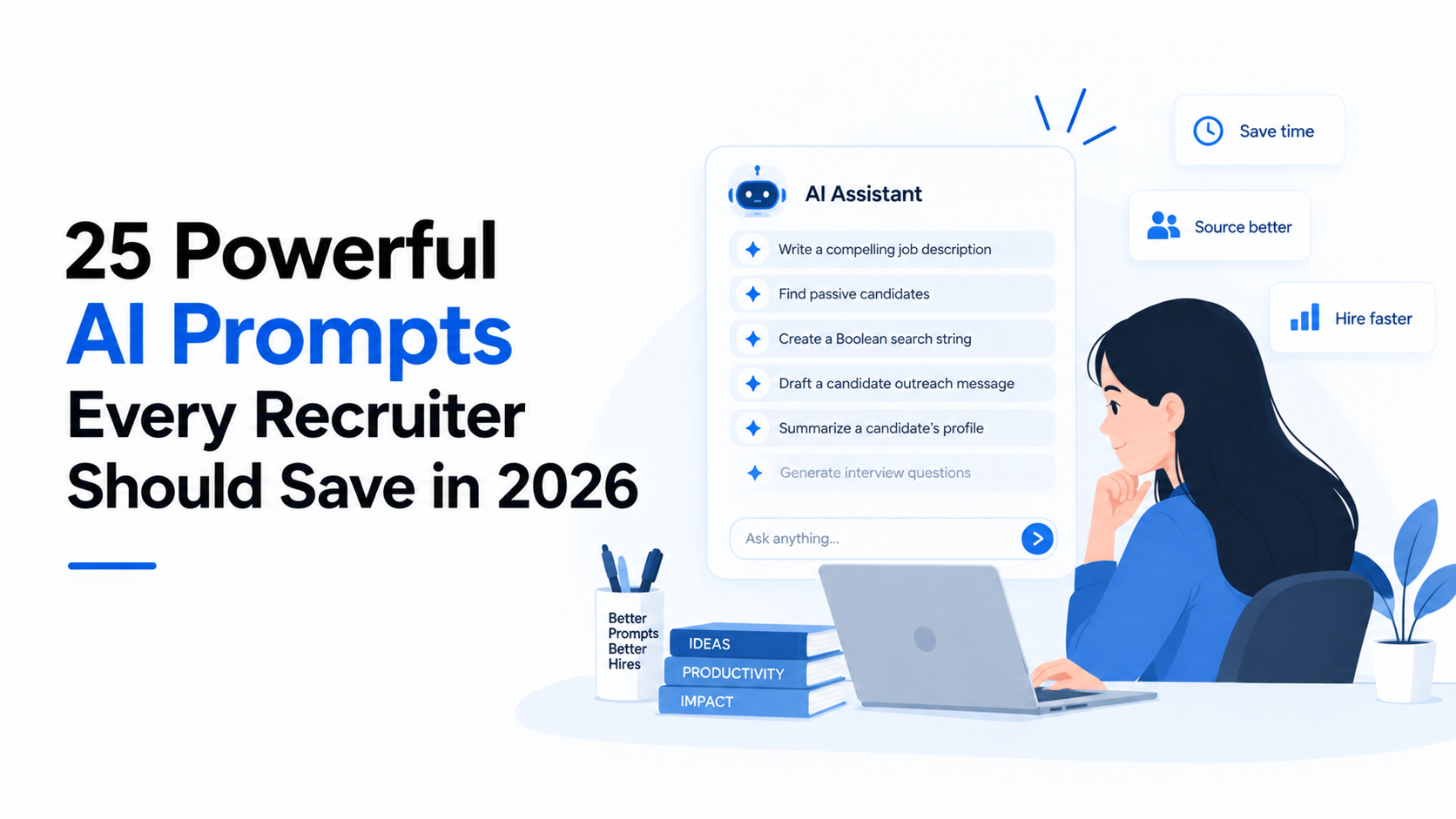
Most recruiters using AI today are getting mediocre results, and the reason is almost always the same: they are writing mediocre prompts. "Write a rejection email" produces a stiff, robotic message that sounds nothing like your company. "Suggest interview questions for a product manager" generates a generic list that any hiring manager could write in five minutes. "Summarize this resume" gives you a shorter version of what you just read. The AI is not the problem. The instruction is. A well-crafted prompt is the difference between AI that saves you an hour and AI that wastes five minutes. The best recruiters have already figured this out. They maintain personal libraries of tested, refined prompts that produce consistently useful outputs for specific recruiting tasks. They customize each prompt with context about their company, their role, their candidate market, and their communication style. This post gives you 25 of those prompts—organized by recruiting function, ready to copy, and designed to be customized with the details that make AI output genuinely useful rather than generically adequate.
Sourcing and Candidate Discovery Prompts
Prompt 1 — Boolean Search Builder: "I am sourcing for a [role title] at [company type] in [location/market]. The must-have skills are [list 3-5 skills] and nice-to-have skills are [list 2-3 skills]. Build 3 boolean search strings for LinkedIn Recruiter: one broad, one targeted, and one that finds candidates with non-traditional backgrounds who could transition into this role. For each string, explain the logic." This prompt does not just give you search strings—it gives you the reasoning behind them, which helps you iterate and refine. LinkedIn search optimization research shows that well-constructed boolean strings can increase relevant candidate yield by 40 to 60 percent compared to simple keyword searches.
Prompt 2 — Competitor Talent Map: "Map the organizational structure of [competitor company]'s [department/team] based on publicly available information. Identify likely role titles, seniority levels, and reporting structures for the [specific function] team. Then suggest 10 specific LinkedIn profiles I should target based on the [role I am hiring for], with reasoning for each suggestion." This prompt turns AI into an intelligence analyst that does the market mapping most recruiters do manually in a fraction of the time. Understanding how AI sourcing differs from traditional approaches helps you frame the output correctly—the AI is providing a starting map, not a final target list.
Prompt 3 — Passive Candidate Engagement Strategy: "I want to engage passive candidates for a [role title] at [company description]. The candidates are currently employed at [list competitor companies or company types] and are likely content in their current roles. Suggest 5 different engagement angles I could use in my outreach, each tailored to a different motivation (career growth, technical challenge, compensation, culture, impact). For each angle, write a 2-sentence opening hook." Gartner talent acquisition research shows that personalized outreach based on candidate motivation receives 3 times the response rate of generic messages, and this prompt generates the personalization frameworks that make that possible.
Candidate Outreach and Engagement Prompts
Prompt 4 — Personalized Outreach Message: "Write a personalized outreach message to a [current role] at [current company] about a [target role] at [my company]. Reference their specific experience with [skill/project/technology from their profile] and connect it to [relevant aspect of our role]. Tone: [professional/warm/direct]. Length: under 150 words. Do not use any phrases from this list of banned words: [exciting, innovative, fast-paced, passionate, rockstar]." The banned words list is critical—without it, AI defaults to corporate jargon that candidates immediately recognize as template-generated. SHRM candidate experience research shows that outreach messages perceived as generic reduce employer brand perception by 25 percent.
Prompt 5 — Follow-Up Sequence: "A candidate for [role] has not responded to my initial outreach [X days] ago. Write a 3-message follow-up sequence that provides value in each message rather than just checking in. Message 1 (day 7): share a relevant industry insight. Message 2 (day 14): share a specific detail about the role or team. Message 3 (day 21): a brief, no-pressure final check-in. Each message under 100 words." This prompt transforms follow-ups from pestering to value-adding, which dramatically improves response rates on second and third touches.
Prompt 6 — Candidate Re-Engagement After Silence: "A candidate who was interested in [role] has gone silent after [stage where they stopped responding]. Write a re-engagement message that acknowledges their silence without guilt, provides one new piece of information about the role or company, and gives them an easy way to opt back in or out. Tone: understanding, not desperate." Candidates go silent for many reasons, and the most common recruiter response—sending increasingly urgent "just checking in" messages—makes the problem worse. This prompt produces a message that respects the candidate's agency while leaving the door open.
Prompt 7 — Diversity-Focused Outreach: "Write an outreach message for a [role] that would resonate with a candidate from an underrepresented group in [industry/field]. The message should focus on [specific aspects of our company: ERG, DEI programs, diverse leadership, inclusive culture]. Avoid tokenizing language. Reference our [specific program or initiative] if possible. Tone: authentic, not performative." McKinsey diversity research shows that outreach messages referencing specific, concrete DEI initiatives receive significantly higher engagement from diverse candidates compared to generic diversity claims, and this prompt forces the AI to be specific rather than vague.
Job Description and Role Design Prompts
Prompt 8 — Inclusive Job Description Writer: "Write a job description for a [role title] at [company type]. Requirements: [list requirements]. Use inclusive language guidelines: avoid gender-coded words, replace 'requirements' with 'preferred qualifications' where appropriate, include a diversity statement, and add a note about equivalent experience being valued. Format: [bullets/paragraphs]. Length: under [X] words. Do not include: [years of experience requirements, specific degree requirements unless legally required]." Deloitte research shows that inclusive job descriptions increase diverse applicant flow by 20 to 30 percent, and this prompt bakes the inclusion principles directly into the output.
Prompt 9 — Job Description From Hiring Manager Notes: "I have rough notes from a hiring manager intake meeting for a [role]. Here are the notes: [paste notes]. Convert these into a polished job description with: a compelling role summary, key responsibilities, required and preferred qualifications, and a brief 'why this role' section. Maintain the hiring manager's intent but clean up the language and fill gaps with industry-standard expectations for this role type." This is one of the highest-ROI prompts for recruiters because converting intake notes to job descriptions is a task that consumes 30 to 60 minutes per requisition and is perfectly suited to AI acceleration.
Prompt 10 — Job Description Optimization Analysis: "Analyze this job description for a [role] and identify: 1) Words or phrases that may discourage diverse applicants. 2) Requirements that may be unnecessarily restrictive (e.g., years of experience where skills would suffice). 3) Missing information that strong candidates would want to know. 4) Sections that are too long or too generic. 5) A revised version addressing all issues. Job description: [paste]." Rather than just writing a new job description, this prompt audits an existing one, providing specific improvement recommendations that the recruiter can review and approve before any changes are made.
Interview Preparation and Question Design Prompts
Prompt 11 — Structured Interview Question Set: "Design a structured interview question set for a [role title] at [company type]. Include: 4 behavioral questions with the STAR format indicated, 2 situational questions, 2 technical or skill-specific questions, and 1 culture-add question. For each question, provide: the question text, what it assesses, what a strong answer looks like, and what a weak answer looks like. Ensure all questions are legal and compliant with [jurisdiction] hiring laws." The scoring guidance transforms this from a question list into an evaluation instrument, which is what structured interviewing requires.
Prompt 12 — Interview Brief for Panel Members: "Create an interview brief for a [role title] candidate interview. Candidate background: [brief summary]. Focus area for this interviewer: [e.g., technical depth, leadership, cultural fit, collaboration]. Suggested questions: [3-4 questions tailored to focus area]. Remind the interviewer to: stick to their focus area, take notes, avoid questions already covered by other panelists, and score independently before debrief." Gartner interview process research shows that providing interviewers with structured briefs reduces redundant questioning by 40 percent and improves evaluation consistency by 25 percent.
Prompt 13 — Candidate-Specific Interview Questions: "I am interviewing [candidate name] for a [role]. Their background includes [key experiences from resume]. Based on their specific experience, generate 5 tailored interview questions that: 1) Probe areas not fully explained on their resume. 2) Connect their past work to challenges in our role. 3) Explore their decision-making in contexts relevant to our team. For each question, explain why it is relevant to this specific candidate." Generic interview questions evaluate candidates generically. This prompt produces questions that extract the specific information needed to assess this particular candidate's fit for this particular role.
Prompt 14 — Interview Debrief Framework: "Generate an interview debrief template for a [role title] candidate. Include: a rating scale (1-5) for each of these dimensions [list: e.g., technical skill, communication, leadership, culture fit], space for evidence-based observations (not opinions), a question prompting each interviewer to state their recommendation with one supporting reason, and a framework for resolving disagreements between interviewers." This prompt structures the debrief conversation, preventing the common problem where the loudest opinion in the room drives the decision rather than the most evidence-supported one.
Candidate Assessment and Evaluation Prompts
Prompt 15 — Resume Screening Against Criteria: "Evaluate this resume against the following role requirements: [list must-have and nice-to-have criteria]. For each requirement, indicate: met, partially met, not met, or unclear from resume. Flag any skills gaps that would need to be assessed in an interview. Identify any potential misalignments between the candidate's career trajectory and this role. Suggest 3 interview questions to fill information gaps. Resume: [paste]." This prompt does not just say "good candidate" or "bad candidate"—it produces a structured gap analysis that directly informs the next step in the process.
Prompt 16 — Candidate Comparison Matrix: "Compare these [X] candidates for a [role title] position. For each candidate, evaluate against these criteria: [list 5-7 evaluation criteria with weights]. Present the comparison as a scored matrix. Then write a 2-paragraph summary recommending which candidate to advance first, with specific reasoning. Candidate profiles: [paste brief summaries]." When hiring managers ask "who should we move forward with?" this prompt gives the recruiter a data-driven recommendation to support their answer, rather than relying on gut instinct alone.
Prompt 17 — Career Trajectory Analysis: "Analyze this candidate's career trajectory and assess fit for a [role title] at [company type/size]. Consider: progression pattern (linear, lateral, accelerating), industry relevance, company size transitions, skill development over time, and any red flags or green flags in the pattern. Would this role represent a logical next step, a stretch, or a step backward? Candidate career history: [paste]." EY talent assessment research shows that career trajectory analysis is one of the strongest predictors of role fit and retention, yet most recruiters evaluate resumes qualitatively rather than systematically.
Prompt 18 — Skills Gap Identifier: "Identify the skill gaps between this candidate's profile and the [role title] requirements. For each gap, assess: can this be developed on the job within 90 days, or is it a prerequisite? If developable, suggest an onboarding approach. If a prerequisite, assess the severity (minor concern, moderate risk, disqualifying). Candidate profile: [paste]. Role requirements: [paste]." This prompt transforms gaps from binary disqualifiers into nuanced development assessments, which is especially valuable for diverse candidates whose non-traditional backgrounds may not map linearly to job requirements.
Hiring Manager Communication Prompts
Prompt 19 — Intake Meeting Preparation: "Prepare a structured intake meeting agenda for a [role title] search with [hiring manager title/department]. Include: 5 questions about the role's business impact, 3 questions about team dynamics and working style, 3 questions about must-have vs. nice-to-have requirements, 2 questions about candidate evaluation criteria, and market reality check questions about timeline and compensation. Format as a ready-to-use meeting guide." SHRM research shows that structured intake meetings produce requisitions with 30 percent fewer requirement changes and 25 percent faster time-to-fill compared to informal intake conversations.
Prompt 20 — Candidate Presentation Summary: "Write a candidate presentation summary for a hiring manager. Candidate: [name, current role, current company]. Key qualifications: [list 3-5 relevant achievements/skills]. Salary expectation: [range]. Availability: [timeline]. Potential concerns: [any flags]. Comparison to ideal profile: [how they match and where gaps exist]. Format: concise bullet points the hiring manager can review in under 2 minutes. End with a clear recommendation." This prompt produces the structured candidate brief that separates professional recruiters from resume forwarders, and it does it in seconds rather than the 15 to 20 minutes most recruiters spend composing these summaries manually.
Prompt 21 — Hiring Manager Pushback on Requirements: "I need to push back on a hiring manager's requirements for a [role title]. Their current requirements: [list requirements]. Market reality: [what is actually available at their compensation range and timeline]. Write a respectful, data-informed email that: acknowledges their needs, presents market data, suggests a revised set of requirements that is realistic while protecting their core needs, and requests a 15-minute calibration call. Tone: collaborative, not confrontational." This is one of the hardest conversations recruiters have, and having a well-crafted draft makes it dramatically easier to initiate. McKinsey hiring process research shows that successful requirement pushback reduces time-to-fill by 20 to 30 percent.
Offer and Closing Prompts
Prompt 22 — Offer Call Script: "Write an offer call script for a [role title] candidate. Include: a warm opening referencing something specific about their interview, 2-3 specific reasons why we chose them, key offer terms (role, comp, start date), a clear next step, and a counteroffer prevention section that naturally raises the topic without being presumptuous. Tone: enthusiastic but professional. Leave pauses for candidate reactions." A verbal offer call is the most important conversation in the recruiting process, and this prompt ensures it hits all the critical elements—especially the counteroffer prevention that most recruiters forget until it is too late.
Prompt 23 — Offer Decline Response: "A candidate has declined our offer for [role title] due to [reason if known: compensation, competing offer, location, etc.]. Write a response that: thanks them genuinely, asks for permission to stay connected, requests feedback on our process if appropriate, and keeps the door open for future opportunities. If the decline was compensation-related, subtly signal flexibility without making promises. Tone: gracious, not desperate." How you handle a declined offer determines whether that candidate ever considers your company again. Deloitte candidate experience research shows that candidates who receive gracious decline responses are 3 times more likely to re-engage with the company within 18 months.
Analytics and Process Improvement Prompts
Prompt 24 — Pipeline Health Diagnostic: "Analyze this recruiting pipeline data and identify: the healthiest searches (strong pipeline, good conversion), the most at-risk searches (thin pipeline, low conversion, or stalled), the likely root cause for each at-risk search, and recommended actions for each. Pipeline data: [paste data showing reqs, stage counts, and conversion rates]." This prompt turns raw pipeline data into a diagnostic report that directly informs where to focus effort this week. It is the AI-powered equivalent of the weekly pipeline review that top recruiters conduct manually—except it takes 30 seconds instead of 45 minutes. When combined with agentic AI platforms that can pull this data automatically, the diagnostic becomes real-time rather than weekly.
Prompt 25 — Recruiting Process Retrospective: "Conduct a retrospective analysis of our hiring process for [role type/department] over the past [time period]. Key metrics: [paste time-to-fill, conversion rates, offer acceptance, quality scores]. Identify: what worked well and should be repeated, what underperformed and needs to change, 3 specific process improvements with expected impact, and 2 metrics to add or change in our tracking. Format as a concise report suitable for sharing with the hiring manager." This prompt transforms a quarterly review from a numbers dump into a strategic analysis with recommendations, which is the format that actually drives process improvement rather than just documentation. Teams that add more tools without conducting this kind of analysis often find that their metrics look different but their outcomes do not improve—because the underlying process problems remain unaddressed.